Smear Frames in 3D Animation: Maya and Blender Guide
Smear frames in 3D animation are deliberately distorted meshes or duplicated limbs rendered on fast-moving frames, giving 3D computer animation the blurred, stretched kinetic energy of traditional hand-drawn smears.
Explore Full Reference LibrarySmear Frames in 3D Animation: Maya and Blender Guide is a dedicated reference breakdown for animators studying biomechanics, keyframing cadence, and weight transfer at 24 frames per second.
Key Takeaways
- A smear frame is an authored pose that gives fast motion a designed silhouette, which motion blur alone cannot provide.
- Build smears with blendshapes in Maya or lattice and shape-key deformation in Blender, keyed to hold on exactly one frame.
- Keep smear geometry on separate controls or layers so the base render mesh stays clean for close-ups and reused shots.
- Use multi-limb multiples when the action needs discrete contact poses along the arc, such as punches or run cycles.
- At 60fps a single-frame smear reads as a glitch, so hold it across two or three frames or drive it dynamically by velocity.
- Study reference frame by frame first: Use our curated smears reference library and frame-by-frame player to analyze contact frames and smears before rigging.
Smear frames in 3D animation are deliberately distorted meshes or duplicated limbs rendered on fast-moving frames, giving a single frame the blurred, stretched energy of a hand-drawn smear. Motion blur alone softens edges but cannot exaggerate arcs or spacing the way a real smear can. Below are three practical techniques, with rig and scene setup for Maya and Blender.
What are smear frames in animation?
A smear frame is a single, deliberately distorted drawing or deformed mesh that fills one frame of fast action, bridging two readable poses so the eye registers speed instead of a pop. Animators draw them on 1s, one unique frame per exposure, and stretch limbs, smear features, or duplicate the silhouette across the frame.
The vocabulary matters when you're breaking down shots: smears, multiples (repeated copies of a limb or object in one frame), and blur frames each do slightly different jobs. Sakugabooru tags thousands of examples if you want to study them frame-by-frame, and our curated smear breakdowns collect deconstructed shots directly linked to our study tools.
Smears vs. Multiples vs. Blur Frames
- Smear frame: Distorts one continuous shape along the line of action.
- Multiple: Repeats distinct copies of a body part (like four hands fanning behind a waving arm) across a single frame.
- Blur frame: Approximates optical motion blur by hand using dry-brush smears or soft alpha gradients.
The distinction comes straight from classic hand-drawn practice, summarized in the twelve principles of animation, where distortion and exaggeration serve visual readability. In 3D the same choices apply, just through deformed meshes, lattices, and proxy rigs instead of redrawn animation cels.
Why do 3D animators need smears when motion blur exists?
Motion blur vs. smear: what each one communicates
Motion blur and smears solve fundamentally different visual problems. Blur is a rendering artifact: it says "this object moved fast" by averaging positions across the camera shutter window. A smear is an authored pose: it says "this motion has a shape," with a silhouette you designed on 1s that reads with punchy clarity at 24fps.
Blur alone tends to read as soft mush. It lowers contrast across the fast area, so the eye gets a gray haze of limb instead of a readable arc. A drawn or deformed smear keeps a hard silhouette, which is why stylized and cartoon projects in 3D animation build them by hand.
| Feature | Motion Blur | Smear Frame |
|---|---|---|
| Source | Camera / Render engine calculation | Hand-authored pose by the animator |
| Visual Read | Speed, softness, motion trail | High energy, dynamic shape, crisp silhouette |
| Best For | Realistic camera moves & background motion | Snappy stylized hits, take-offs, whips, and reversals |
| Frame Control | Automatic per shutter angle | Keyed exactly on 1s to control spacing & arcs |
| Tooling | Built-in render settings (Cycles, Arnold) | Maya blendshapes, Blender lattices, or multiples |
Choose blur for realistic camera moves and continuous physics. Choose a smear for fast accents: take-ons, impacts, whip pans of a hand, or weapon slashes. Many studio-quality shipped shots use both in tandem.
How do you create a smear frame using mesh deformation in 3D?
Mesh deformation smears stretch the actual geometry across the arc between two poses, so the smear lives on the model instead of requiring a 2D compositing overlay. Pick the technique based on how long the smear holds: blendshapes for a single snappy move, lattice or sculpt deformation for anything you want to art-direct by hand.
Blendshape smear setup in Maya
1. Duplicate the mesh at the contact pose or extreme breakdown. 2. Sculpt the duplicate into the stretched smear shape along the vector of travel, matching the line of action. 3. Wire it as a blendshape target on the character mesh. 4. Key the blendshape weight to 1 on the smear frame and 0 on the frames immediately before and after, keyed with stepped or zero-length tangents so it snaps instantly on and off. 5. Drive the weight with a set-driven key off the joint translation velocity if you want the smear to fire automatically whenever the arm moves past a speed threshold.
If you are animating in Maya, you can install the AnimRef Maya Plugin to import reference clips and scrub them synchronously in your Maya viewport, comparing your blendshape smear against real martial arts or sakuga reference frame by frame.
Lattice and sculpt smear in Blender
1. Add a Lattice modifier around the deforming limb and parent it to an offset control. 2. Keyframe the lattice points pulling the mesh along the motion arc on the breakdown frame. 3. Animate the modifier influence from 0 to 1 to 0 across three frames (0 on frame 1, 1 on frame 2, 0 on frame 3). 4. For finer anatomical control, sculpt the smear as a Shape Key instead and key its Value slider with constant or vector interpolation. 5. Check the result with motion blur enabled: Blender's per-object velocity and shutter settings live in the render properties. A smear combined with an overly wide shutter angle can double the stretch into an unreadable mess.
Blender users can take advantage of the AnimRef Blender Addon to dock reference videos alongside the 3D viewport, matching the lattice stretch directly to live-action or anime reference clips.
Keeping the smear on exactly one frame
Key the smear's weight or influence with zero-length holds: same value on the smear frame, then a hard cut to 0 on the next. Step through on 1s with frame stepping to confirm it only reads on the intended frame.
A punch reference board is an ideal place to study how long a smear should hold before snapping into the target; we broke down contact-pose timing in our punch animation reference guide.
How do you animate a smear frame on a rig without breaking the model?
The golden rule of 3D smears: never deform the base render mesh directly with destructive smear geometry. Build the smear on separate controls or dedicated proxy layers so the base rig stays pristine for close-ups, playblasts, and other shots in the pipeline.
Separate smear controls from the base rig
- Maya setup: Place smear geometry (stretched NURBS surfaces or a lattice-driven proxy) on its own display layer or under a dedicated
smear_geogroup, driven by an offset smear control parented under the main hand or head controller. Set the smear meshes to primary visibility off during normal scenes so they never render accidentally. - Blender setup: Use a separate armature or a bone collection outside the main deformation rig, and disable smear objects in render settings by default. Keep the deform rig's primary shape keys and corrective smooths untouched so spacing experiments never bake bad weights into the skinning.
This isolation also prevents smears from bleeding into shots that reuse the asset. A smear that reads brilliantly on 1s in a fast action shot can wreck a moving hold in the character's subsequent dialogue scene. This is why reference study on holds and smears belongs together; see our breakdown on moving holds in animation.
When should you use a multi-drawn or multi-limb smear in 3D?
A single stretched mesh works when one shape cleanly carries the motion. Reach for a multi-limb smear when the action needs discrete contact poses along the arc: a rapid flurry punch where the fist should occupy two or three positions on the same frame, or a frantic run cycle where each leg needs its own visible trail.
Multiples read cleaner on 1s than one giant stretched blob because the human eye tracks repeated recognizable silhouettes the way it reads classic hand-drawn Sakuga.
Multi-limb setup for a punch or swing
1. Maya workflow: Duplicate the arm's joints and bind copies of the forearm and fist geometry to them. Keyframe each duplicate at successive contact positions across one or two frames. Use blendshapes to interpolate between copies if you require softer transitions. 2. Blender workflow: Duplicate the armature bones and mesh, keying the copies on staggered frames inside the smear window. Hide the original mesh with scale-to-zero keys so only the multiples render.
Tradeoff note: Multi-limb smears multiply rig complexity and can glitch during viewport playblasts if copies pop outside the smear window. Keep them on separate animation layers so you can mute them during team reviews.
The same frame-stepping discipline applied when analyzing walk cycle locomotion applies here: step through the smear frame by frame and ensure each silhouette reads independently.
How do you make a smear read correctly at 24fps vs. 60fps renders?
A smear on 1s in a 24fps stylized shot reads as an intentional drawing because it occupies roughly 42 milliseconds of screen time. Render that same pose at 60fps and it flashes by in under 17 milliseconds; viewers will parse it as a glitch or a broken mesh rather than intended velocity.
At higher frame rates (such as 60fps game engines), you must either hold the smear across two or three frames, or switch to a velocity-driven shader approach where the deformation scales smoothly with the speed of the root bone.
Playblasting to check the read
Playblast the shot at your target frame rate, not at the viewport's arbitrary default, before committing to the deformation. Step frame-by-frame through the smear: if it only reads when paused, it is decorative clutter, not motion.
Then render a 60fps version and compare. If the smear looks like a modeling defect at 60fps, split it across additional frames or transition to velocity-based scaling. Compare both 24fps and 60fps versions side-by-side using the Animation Reference Player to verify the visual read.
What do smear frames look like in shipped 3D films and games?
Stylized 3D feature films (such as Spider-Verse, Puss in Boots: The Last Wish, and The Peanuts Movie) are masterclasses in 3D smears: animators stretch meshes, flatten planes, and duplicate limbs on contact poses and fast turns, executing 2D multi-draw techniques directly in 3D space.
Game animation uses them extensively in melee attacks, dodges, and character transitions where a single frame must communicate impact without compromising input responsiveness.
Building a smear reference board for your reel
Before opening Maya or Blender, collect 5 to 10 reference clips that feature the specific smear style you want:
- Single-frame stretched sword trails (see our Sword Animation Reference Guide).
- Multi-limb flurry punches.
- Exaggerated head whip-pans and blinks.
Organize them into a dedicated study board on Animation Reference. Our browser-based player provides sub-frame precision, drawing tools to trace the smear's line of action, and loop points for continuous review.
How should you practice smears for your reel?
1. Pick one clear body-mechanics shot: A heavy cross punch, a baseball swing, or a whip pan head turn. 2. Block the key extremes first on 1s: Make sure the anticipation and contact poses are completely readable before introducing deformation. 3. Add the smear on exactly one frame: Place it one or two frames before contact, pulling the silhouette directly along the motion trajectory. 4. Playblast at 24fps: Step frame-by-frame against your reference clips. If the smear reads as muddy gray rather than a dynamic snap, narrow the deformation or shorten the hold. 5. Publish to your portfolio: Showcase your playblast alongside the frame-by-frame breakdown on your Animation Reference Portfolio to show recruiters you understand kinetic timing, not just button pressing.
Frequently Asked Questions
Are smear frames cheating or bad practice in 3D animation?
No. A smear frame is an authored artistic pose, identical in purpose to a squash-and-stretch keyframe. Shipped blockbuster films and AAA action games use them deliberately because render-engine motion blur cannot provide an art-directed silhouette. The only bad practice is deforming the base render mesh destructively, which breaks close-up shots.
Do smear frames work in realistic or PBR-style 3D, or only cartoony projects?
They work predominantly in cartoony or stylized projects. A hard-edged stretched silhouette can clash with photorealistic PBR shaders, raytraced lighting, and simulated cloth. In realistic animation, subtle velocity-based sub-frame stretch and physical motion blur provide the expected naturalism.
Can I add smears in post with compositing instead of animating them in 3D?
You can use directional blurs or vector distortion in compositing, but you lose artistic control over the shape. 2D post-processing averages pixels blindly rather than authoring an intentional silhouette. Building smears in 3D ensures the deformation honors camera perspective and lighting.
How many frames should a smear last?
At 24fps, a smear should last exactly one frame (approx. 42ms). Holding a smear for multiple frames at 24fps makes the character appear rubbery or broken. At 60fps, however, you can hold the smear for 2 to 3 frames so the eye has sufficient time to register the visual arc.
The Mechanics of Authored Smears vs. Render Motion Blur
Motion blur is an automatic shutter simulation that averages pixel movement, frequently producing soft gray smearing that obscures line of action. In contrast, an authored smear is a deliberately sculpted pose keyed on 1s that preserves a crisp, readable silhouette. Stylized 3D animators author smears to control the exact arc, squash, and visual momentum of fast-moving body parts.
Maya Blendshape & Lattice Smear Rigs
In Autodesk Maya, artists create blendshape targets from contact pose duplicates, sculpting extreme displacement along the velocity vector. By keying blendshape weights to 1 on the smear frame with stepped tangents, the distortion snaps cleanly. For non-linear limb arcs, lattices wired to dedicated smear controls allow animators to bend and stretch geometry without compromising the underlying skin cluster weights.
Blender Shape Keys & Non-Destructive Modifiers
Blender animators utilize Shape Keys and Lattice modifiers placed after the Armature modifier in the stack. Animating shape key values from 0 to 1 to 0 across consecutive frames creates instant snap. Crucially, smear geometry should remain isolated in a secondary bone collection or proxy group to keep the core deformation rig clean for close-ups and dialogue scenes.
Frame Timing at 24 FPS vs. 60 FPS Game Engines
At cinematic 24 frames per second, a single-frame smear persists for approximately 42 milliseconds, providing enough exposure for the retina to register speed. At 60 FPS in real-time game engines, a single frame lasts only 16.6 milliseconds, which viewers perceive as a jarring glitch. Game animators should hold smears across 2 to 3 frames or tie mesh displacement directly to bone translation velocity.
Frame-by-Frame Timing Chart (24 FPS)
| Motion Phase | Frame Range | Keyframe Focus |
|---|---|---|
| Anticipation Coil & Windup | Frames 1 - 3 (0.00s - 0.12s) | Weight shifts to rear foot, limb pre-loads, energy stores along tension axis. |
| Authored Smear / Multiple | Frame 4 (0.16s - 1 frame only) | Extreme mesh elongation, multi-limb fans, or smear brush along line of action. |
| Contact Frame & Impact | Frame 5 (0.20s) | Solid un-smeared contact pose lands, peak compression, visual clarity. |
| Secondary Recoil & Settle | Frames 6 - 12 (0.24s - 0.50s) | Inertia dissipation, clavicle counter-tilt, and balance recovery. |
Common Animating Pitfalls to Avoid
- !Deforming base render geometry destructively, causing vertices to glitch in adjacent shots.
- !Relying exclusively on camera motion blur for stylized action, creating unreadable gray haze.
- !Holding single-frame smears at 60 FPS without compensating for high refresh rates.
Curated Reference Clips
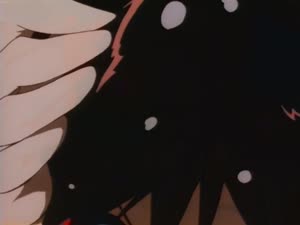
Hiroyuki Imaishi: Background Animation & Character Acting (#03 - His And Her Circumstances)
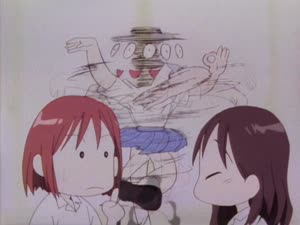
Hiroyuki Imaishi: Character Acting & Debris FX (#26 - His And Her Circumstances)
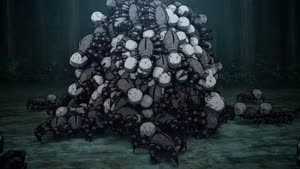
Cgi: Creature Animation & Debris FX (#17 - Kimetsu No Yaiba)
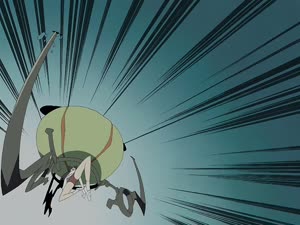
Flcl: Character Acting & Debris FX (#03 - Flcl Series)
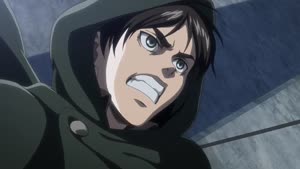
3d Background: VFX & Effects & Impact Frames (#50 (BD) (S3 #13) - Cgi)
3d Background: VFX & Effects & Combat (NCOP2v2 - Cgi)
Master your animation timing today.
Step frame by frame, compare playblasts side by side, and save references to your visual boards.
Get Started Free